
Dev Blog
CIANNA On-The-Fly (CIANNA-OTF) is a spin-off of the CIANNA framework, recently developed and still in the testing phase.
The system addresses a concrete operational challenge in scientific machine learning pipelines: deep learning models used for radio source detection are computationally expensive to load and initialize. Performing inference naively (one image -> one query) can lead to inefficient GPU utilization, long response times, and fragile workflows.
CIANNA-OTF attempts to solve this problem by introducing an intermediate execution layer that groups compatible queries into batches. This allows the model to be loaded only once and multiple tasks to be processed simultaneously, while exposing a clear, task-oriented API to users.
The architecture is designed for interoperability with virtual observatories, following the IVOA Universal Worker Service (UWS) model for asynchronous execution and returning results in IVOA VOTable format. Ongoing development also places a strong emphasis on provenance, another IVOA standard intended to ensure the reproducibility of runs.
Task— a single inference request consisting of an XML description (parameters, model selection, region of interest, etc.) and a FITS image file. Each task is assigned a unique identifier and progresses through clearly defined execution phases.
Batch— a group of tasks (from different requests) sharing the same model and quantification mode (these criteria may be subject to change), created automatically by the server according to configurable rules (minimum size, maximum size, waiting time).
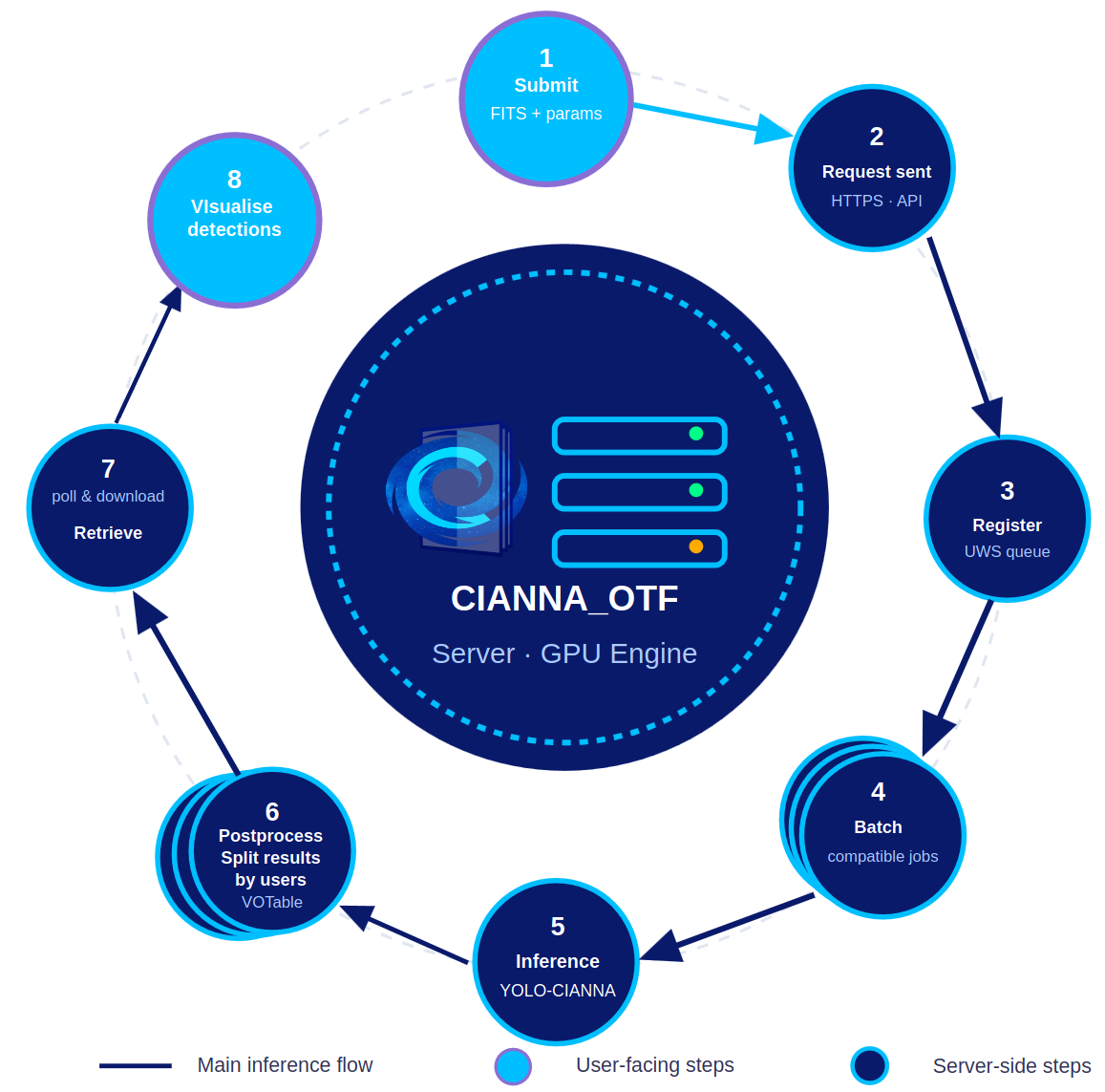
CIANNA-OTF is currently undergoing intensive testing. Following a series of successful local tests, the server stack has been successfully deployed on a dedicated machine. After a development phase using a Flask server, an NGINX server has been set up to handle HTTPS connections and forward requests to Flask.
You can also look at the dedicated poster from the colloque SKA-France 2026